As a developer who maintains multiple open-source projects on GitHub, my daily work goes far beyond writing code. I also deal with a constant stream of issues, PR reviews, releases, and other tasks that are tedious but critical. As projects grow, this workload quickly exceeds what one person can handle efficiently.
Over the past few months, I’ve integrated Claude Code and GitHub Copilot Review into my daily development workflow, and the results have been remarkable — tasks that used to take half a day now often get done in 1-2 hours. This post shares my complete workflow and explains why I believe the developer’s own technical ability is the key to using AI tools effectively.
Tools Overview
This post focuses on the practical workflow. Beyond the built-in features of the two core tools, I’ll also introduce the copilot-review custom Skill I built to make the review automation loop truly seamless. Here’s the tool combination I use:
Claude Code
Claude Code is a CLI development tool built by Anthropic that runs directly in your terminal. It understands the full context of your project and can help with coding, refactoring, debugging, writing tests, and more. Unlike a typical AI chat, Claude Code can read and write your files and execute commands — it’s a tool that’s truly embedded in your development workflow.
GitHub Copilot Review
GitHub Copilot Review is GitHub’s built-in AI code review feature. When you open a PR, you can assign Copilot as a reviewer, and it will automatically analyze the code changes and leave specific review comments on potential issues, style inconsistencies, performance concerns, and more.
The combination of these two tools forms the core of my current development workflow.
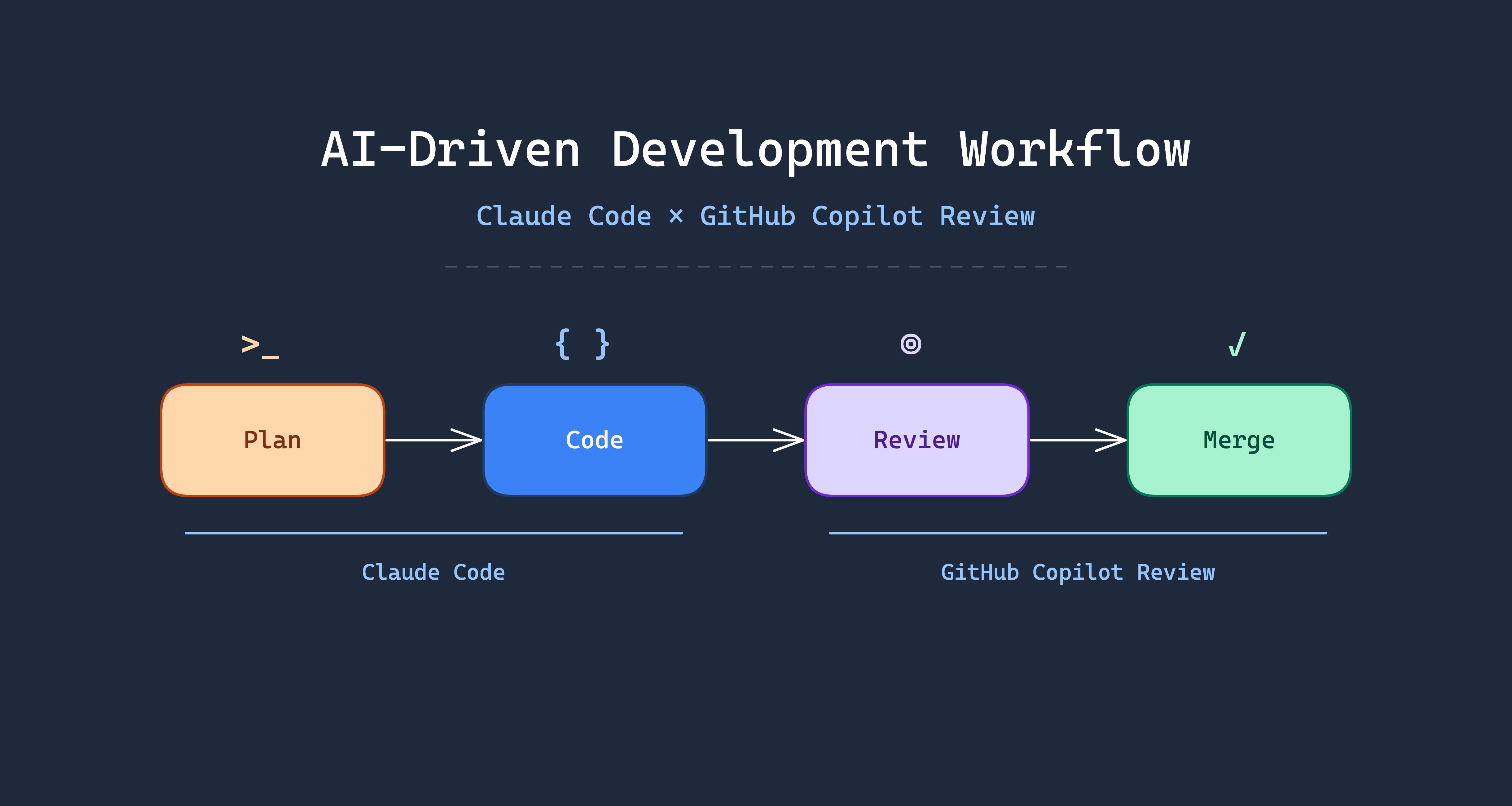
AI-Driven Development Workflow
Here is the complete workflow I actually use, from requirement to merge. The steps highlighted in orange are the only two that require the developer’s direct involvement — everything else can be handled by AI automatically:
    flowchart TD
    A[Developer defines requirement] --> B[Ask AI to draft execution plan]
    B --> C[Developer iterates via Q&A]
    C --> D{Plan satisfactory?}
    D -- No --> C
    D -- Yes --> E[Finalize the plan]
    E --> F[AI starts implementation]
    F --> G["/simplify refactor & optimize"]
    F --> H["/security-review security audit"]
    G --> I[Open PR]
    H --> I
    I --> J[GitHub Copilot Code Review]
    J --> K["/loop 2m /copilot-review"]
    K --> L[AI reads PR comments]
    L --> M[AI fixes code]
    M --> N[Re-trigger Review]
    N --> O{More comments?}
    O -- Yes --> L
    O -- No --> P[Developer final review]
    P --> Q[Merge]

    style C fill:#fed7aa,stroke:#c2410c,color:#7c2d12
    style P fill:#fed7aa,stroke:#c2410c,color:#7c2d12
    style G fill:#fef3c7,stroke:#b45309,color:#78350f
    style H fill:#fef3c7,stroke:#b45309,color:#78350f
    style K fill:#d1fae5,stroke:#059669,color:#064e3b
Orange steps require developer involvement. Yellow steps are Claude Code’s built-in Slash Commands. Green steps are custom Skills.
Planning Phase: Align Direction Before Writing Code
This is the most important step. I never ask AI to write code directly. Instead, I first ask it to draft a concrete execution plan.
Claude Code has a built-in Plan Mode that analyzes your requirements and existing codebase, then produces a detailed implementation plan — which files to modify, what architecture to use, expected behavior, and more.
What follows is an iterative Q&A process. I challenge anything in the plan that seems unreasonable and ask for adjustments. This back-and-forth may happen several times until I confirm the plan is heading in the right direction.
The value of this step: ensure the direction is correct before writing a single line of code.
Implementation Phase: Let AI Do the Work
Once the plan is confirmed, I ask AI to start implementing. Claude Code follows the previously aligned plan, directly modifying files and adding code. During this phase, the developer primarily monitors and intervenes when adjustments are needed.
Optimization Phase: /simplify + /security-review in Parallel
After implementation, I run two of Claude Code’s built-in commands simultaneously:
/simplify: Reviews code for duplication, quality, and efficiency, then automatically refactors and optimizes/security-review: Checks for security vulnerabilities such as injection attacks, sensitive data exposure, etc.
Both are built-in Slash Commands in Claude Code.
These two commands can run in parallel — no need to wait for one to finish before starting the other.
Review Loop: /loop + /copilot-review Automated Iteration
This is the biggest time-saver in the entire workflow. To fully automate the review loop, I built the /copilot-review custom Skill, designed to work with Claude Code’s built-in /loop command.
Installing the copilot-review Skill
First, add the Skill Marketplace in Claude Code:
| |
Then install the skill:
| |
Prerequisites: GitHub CLI v2.88.0 or later, with active authentication (gh auth status).
How the Automated Loop Works
After opening a PR, just run one command:
| |
This executes /copilot-review every 2 minutes. Each cycle automatically performs the following steps:
- PR Detection — auto-detects the PR from the current branch
- Review Status Check — compares Copilot’s review timestamp against the latest commit
- Comment Retrieval — fetches unresolved Copilot review threads via GraphQL
- Code Fixes — evaluates and applies Copilot’s suggestions contextually
- Testing — runs project tests before committing
- Commit & Push — uses Conventional Commit format
- Thread Resolution — marks addressed review threads as resolved
- Review Re-trigger — adds Copilot as reviewer again for fresh analysis
The cycle continues until there are no new review comments. It’s recommended to cap at 10 iterations — if comments persist beyond that, it usually means the developer needs to step in and reassess the architectural direction.
The developer doesn’t need to watch the entire process — just come back when the loop finishes for the final review. Here’s a real example — go-authgate/authgate PR #125 (splitting the 1,038-line token.go into 8 domain-specific files), showing the automated iteration between Copilot Review and the /copilot-review Skill:
| Round | Comments | Key Fixes |
|---|---|---|
| 1 | 3 | Comment says “strict subset” but should be “subset”; GetUserTokens comment claims “all active tokens” but query doesn’t filter by status |
| 2 | 3 | AuthenticateClient doesn’t verify client is active; revokeTokenFamily comment doesn’t match actual behavior; ValidateToken masks DB errors as “token not found” |
| 3 | 2 | AuthenticateClient adding inactive check is a behavior change — update PR description; same for ValidateToken error handling change |
| 4 | 2 | PR description still claims “no logic changes” — needs correction; TokenFamilyID may be empty in refresh token rotation |
| 5 | 0 | No new comments — all clear |
Final Review: Human Eyes on the Code
After all automated loops complete, the developer does one final review. Confirm the logic is correct, the architecture is sound, and nothing is missing — only then hit merge.
This step cannot and should not be skipped.
Real-World Benefits
The most noticeable improvements after adopting this workflow:
- Dramatically faster development: Feature work that used to take half a day now often finishes in 1-2 hours
- Better code review quality: AI filters out most basic issues before human review, so humans can focus on architecture and business logic
- Solo developers get a review process: Maintaining open-source projects alone used to mean code review was a luxury. Now GitHub Copilot serves as a first line of defense, providing a baseline quality guarantee
- Lower context-switching cost: AI handles tedious implementation details, freeing your mental energy for decisions that actually require thinking
Core Principle: You Are the Decision Maker
After all these benefits of AI tools, I must emphasize one thing:
Developers must have solid technical architecture skills to truly leverage these tools.
AI is an accelerator, not a navigator. You need to know the destination first — AI just helps you get there faster. If you don’t know how a system should be designed or what technology to choose, you simply can’t judge whether AI’s output is right or wrong.
In my actual usage, I frequently encounter these situations:
- AI suggests an architecture direction that conflicts with the project’s long-term plans — I reject it outright and provide the correct direction
- AI produces code that runs fine but uses a design pattern unsuitable for the current context — I adjust manually
- AI introduces unnecessary complexity to solve a problem — I ask it to simplify
People without technical judgment who use AI tools tend to produce code that looks correct but is architecturally wrong. It might not cause problems short-term, but it will inevitably become technical debt.
Lessons Learned and Caveats
- AI output still requires human judgment: Never blindly trust every line of AI output, especially for business logic and security-sensitive code
- Prompt quality determines output quality: The clearer your instructions and the more context you provide, the better the output. Vague requirements yield vague results
- Good fit: Refactoring, writing tests, generating boilerplate, handling repetitive tasks, code review
- Poor fit: Greenfield system architecture design (AI can suggest, but humans must decide), core modules involving complex business logic
Conclusion
The core value of this workflow: let developers focus on “making decisions” rather than “blindly accepting AI output”.
AI handles plan drafting, code implementation, refactoring, and code review iterations — the execution layer. As a developer, you’re responsible for direction judgment, architecture decisions, and final approval.
But the prerequisite is — you must first become a developer capable of making those decisions before AI can truly accelerate your work.
It’s worth noting that Plan Mode, /simplify, /security-review, and /loop are all built into Claude Code out of the box. The /copilot-review command is a custom Skill I built — just run /plugin marketplace add appleboy/skills then /plugin install copilot-review to use it. Paired with GitHub Copilot Review (which is completely free for open-source projects), you can automate over 90% of your software development workflow.
If you’re maintaining open-source projects or looking to boost your personal development efficiency, I highly recommend trying this Claude Code + GitHub Copilot Review + /copilot-review Skill combination.