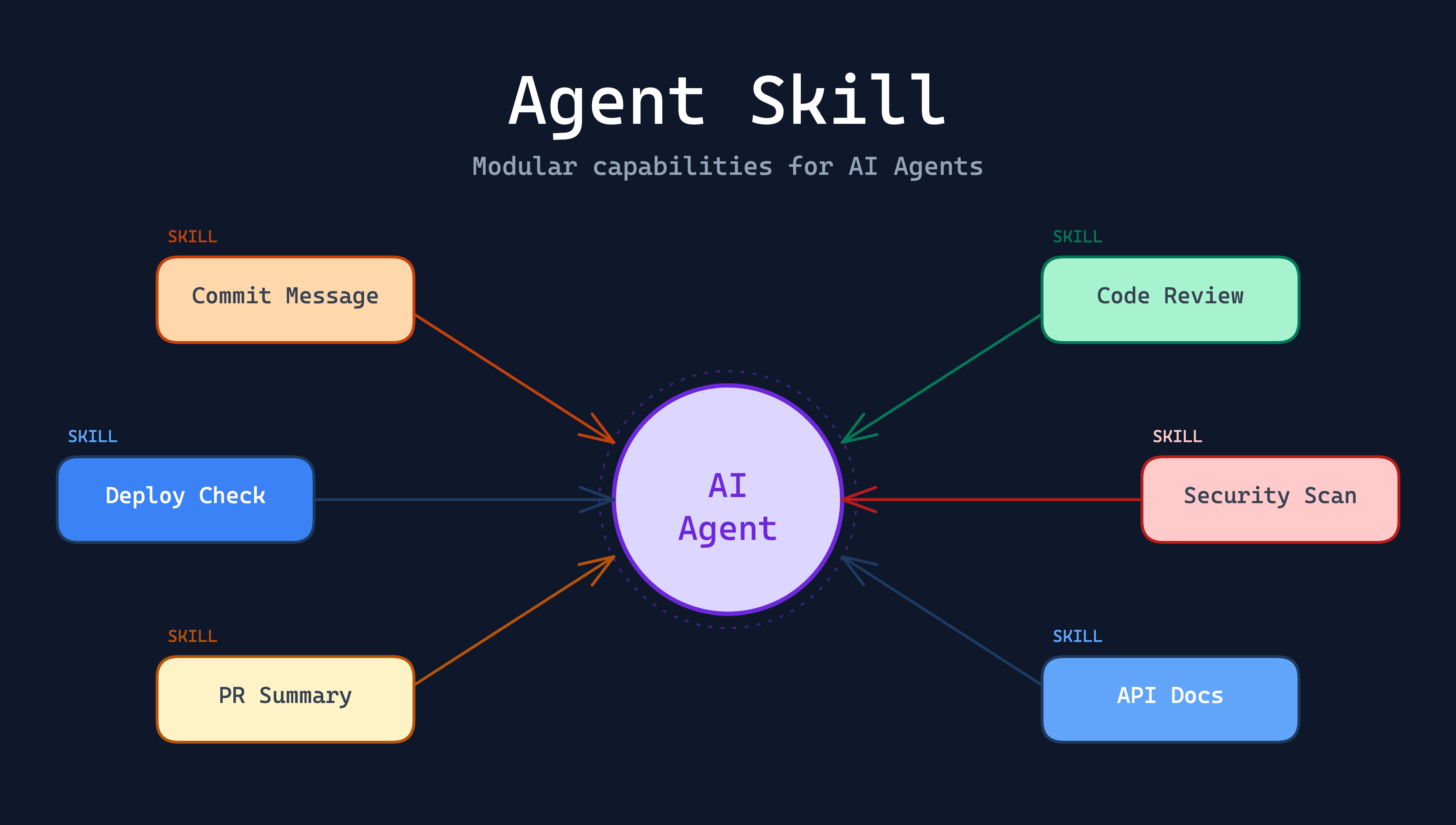
With the rapid evolution of AI Agent technology, a new concept is reshaping how software development works: Agent Skill. If you’ve used Claude Code, Cursor, or other AI-assisted development tools, you may have already encountered something similar. This article takes a deep dive into what Agent Skill is and how it brings fundamental changes to the software industry.
What Is Agent Skill?
Agent Skill is a modular unit that gives an AI Agent domain-specific capabilities. Think of it this way: the AI Agent is a generalist, while Skills are the “professional expertise” it has learned. Each Skill defines a clear set of trigger conditions, execution steps, and output formats, allowing the Agent to handle matching tasks in a professional and consistent manner.
A Story to Understand Skill
Imagine you’re the CEO of a startup and you’ve just hired a super employee named Alex. Alex has an extraordinarily powerful brain — no matter what task you assign, he executes it flawlessly. You tell him: “Organize this report — use a table format, right-align the numbers, bold the headings, and send it to the finance manager.” Alex does it perfectly, right away.
But here’s the problem — every morning Alex wakes up, he completely forgets everything from the day before.
The next day when you need the report again, you have to repeat every single detail: table format, right-align numbers, bold headings, send to the finance manager. The day after that, same thing. And the day after that. Every single day, you’re repeating the same instructions, wasting enormous amounts of time on “teaching him how” instead of “deciding what.”
This is the current state of AI Agents without Skills — every conversation is a fresh start, and you have to describe your requirements and steps over and over again.
One day, you’ve had enough and decide to write an “Employee Operations Manual.” The manual lists everything clearly:
- “Monthly Report”: Open the spreadsheet → Convert to table format → Right-align numbers → Bold headings → Send to the finance manager
- “Customer Reply”: Review the customer’s issue → Find the answer in the knowledge base → Reply in a formal tone → CC the sales department
- “Weekly Summary”: Compile this week’s completed items → List next week’s plans → Apply the company template → Send to all managers
From then on, although Alex still forgets everything each morning, he opens the operations manual first. You only need to say: “Alex, prepare the monthly report.” He follows the manual step by step and completes the work perfectly. You never have to repeat the details again.
That operations manual is the Agent Skill.
Taking it a step further, when a new employee joins the company, you don’t need to personally walk them through every workflow — just hand them the manual. This is the core value of Skills: turning “knowledge in your head” into “standard procedures on paper,” so that anyone (or any Agent) can execute tasks to the same high standard.
Core Components of a Skill
A typical Agent Skill consists of the following elements:
| Component | Description |
|---|---|
| Name | The identifier for the Skill, e.g., commit-message, code-review |
| Description | Conditions that describe when this Skill should be triggered |
| Prompt | The complete instructions the Agent should follow once triggered |
| Tools | The set of tools available during execution, e.g., file I/O, Git operations, API calls |
A Concrete Example
Take the “Generate Commit Message” Skill as an example:
- Trigger: The user types
/commitor asks to generate a commit message - Execution: Analyze the
git diffoutput → Determine the change type (feat, fix, refactor, etc.) → Generate a message following the Conventional Commits specification - Output: A commit message that conforms to team standards
This is the power of Skills: encapsulating professional knowledge into reusable modules, making the AI Agent perform like a seasoned expert in specific contexts.
How Agent Skills Work
The operation of Agent Skills can be broken down into three stages:
1. Intent Detection
When a user makes a request, the Agent evaluates each Skill’s Description to determine if there’s a match. This process is similar to routing: request comes in → match against rules → dispatch to the appropriate handler.
2. Context Preparation
Once a Skill is triggered, the Agent gathers the context needed for execution. For example, a Code Review Skill would automatically read the PR diff, related files, and the project’s coding style guidelines.
3. Structured Execution
The Skill’s Prompt defines the complete execution steps, and the Agent follows them strictly. This ensures consistent output quality, preventing wildly different results from conversation to conversation.
Why Agent Skills Matter for the Software Industry
1. From “Conversational AI” to “Skill-Based AI”
Traditional AI assistants operate in a “you ask, it answers” conversational mode. But Agent Skills upgrade AI from a passive Q&A tool to a proactive and professional collaborator.
Previously, you might need to talk to AI like this:
“Please review this code for issues, pay attention to security, performance, and readability, and give specific suggestions for improvement…”
Now you just need:
/code-review
The Skill already has all the professional knowledge and review steps built in — no need to describe the requirements every time.
2. Knowledge Standardization and Portability
One of the greatest values of Agent Skills is transforming a team’s tacit knowledge into explicit, executable standards.
- Senior engineer’s code review experience → Encapsulated as
code-reviewSkill - Team’s commit conventions → Encapsulated as
commit-messageSkill - Deployment checklist → Encapsulated as
deploy-checklistSkill
This knowledge no longer exists only in certain people’s heads — it becomes a standardized tool available to the entire team. When new members join, they can immediately work according to team standards through these Skills.
3. Automation Upgrade for Development Workflows
Agent Skills automate many processes that previously required manual intervention:
| Traditional Approach | Agent Skill Approach |
|---|---|
| Manually write commit messages | Agent analyzes diff and auto-generates |
| Manual code review line by line | Agent automatically scans and flags issues |
| Search docs and find code examples | Agent queries latest docs and generates examples |
| Manually write PR descriptions | Agent analyzes all commits and auto-generates summaries |
This isn’t about replacing engineers — it’s about delegating repetitive, rule-based work to the Agent, so engineers can focus on tasks that truly require creativity and judgment.
4. Ecosystem and Community Effects
When Skills become a standardized format, communities can begin sharing and composing different Skills, creating several effects:
- Skill Marketplace: An ecosystem similar to VS Code Extensions, where developers can publish, install, and rate various Skills
- Domain Specialization: Different domains (frontend, backend, DevOps, security) will develop their own Skill collections
- Composable Workflows: Multiple Skills can be chained into complete workflows, e.g., “write code → auto review → generate commit → create PR”
5. The Evolving Role of Software Engineers
The widespread adoption of Agent Skills will drive a qualitative shift in the software engineer’s role:
- From “writing code” to “designing Skills”: Engineers need to think about how to convert expertise into reusable Skills
- From “individual skills” to “team knowledge assets”: Through Skills, individual expertise can be amplified across the entire team
- From “executor” to “strategist”: As routine tasks get automated, engineers can invest more time in architecture design, system planning, and other high-level thinking
Real-World Case Study: From CLI Tool to a Single Markdown File
Before Agent Skills existed, if you wanted AI to automatically generate commit messages, you needed to build an entire CLI tool. I developed CodeGPT, an open-source project — a command line tool that analyzes git diff and automatically generates commit messages following the Conventional Commits specification.
A generated commit message looks something like this:
| |
To achieve this, CodeGPT involves serious software engineering: CLI argument parsing, Git integration, multiple LLM provider connections (OpenAI, Gemini, Claude, etc.), prompt design, output formatting… It’s a complete Go project that requires continuous maintenance, dependency updates, and cross-platform compatibility handling.
The Shift: A Single Markdown File Does the Job
With Agent Skills, the same functionality can be achieved with a single Markdown file. I’ve already converted CodeGPT’s commit message feature into a Claude Code Skill, and the entire Skill is just a SKILL.md file:
| |
This file clearly defines five steps: get the diff → analyze changes → generate title → determine prefix and scope → format and commit. The Agent strictly follows these steps, producing results just as professional as the original CLI tool.
Installation
In Claude Code, Skills are installed through the Plugin Marketplace mechanism. First, add the Skill Marketplace:
| |
Then use the /plugin command to open the interactive Plugin management interface, switch to the Discover tab to browse and install the commit-message Skill. Or install directly with:
| |
Once installed, simply type /commit-message in Claude Code or ask the Agent to generate a commit message, and the Skill will be triggered automatically.
What Does This Mean?
| Aspect | CLI Tool (CodeGPT) | Agent Skill (SKILL.md) |
|---|---|---|
| Development Cost | Full Go project, thousands of lines of code | A single Markdown file, under 100 lines |
| Maintenance Cost | Dependency updates, cross-platform issues | Just edit the Markdown text |
| Customization | Modify code, recompile, release new version | Directly edit Markdown step descriptions |
| Team Adoption | Entire team must install the same tool version | Drop into the repo and share |
| Extensibility | Write code to support new features | Add or modify text-based steps |
This is the most direct change Agent Skills bring: CLI tools that previously required massive development and maintenance effort can now achieve the same results with a single, well-structured Markdown file. Teams can easily modify Skill content according to their own standards — no programming language knowledge required, no “code → compile → test → release” software development cycle needed.
Practical Application Scenarios
Scenario 1: New Team Member Onboarding
A newly joined engineer might previously need weeks to familiarize themselves with all the team’s conventions and workflows. Now, with a team’s custom Skill collection, new members can:
- Use
/committo auto-generate commit messages that follow team conventions - Use
/code-reviewto self-check before submitting a PR - Use
/create-prto auto-generate a properly formatted PR description
The Agent executes according to team standards — new members don’t need to memorize every detail.
Scenario 2: Cross-Team Collaboration
Different teams can unify their workflows by sharing Skills. For example:
- The security team provides a
security-reviewSkill so all teams can run security scans before deployment - The platform team provides an
infra-checkSkill to ensure infrastructure changes follow best practices - The documentation team provides an
api-docSkill to auto-generate API documentation from code
Scenario 3: Custom Workflows
Developers can combine or create new Skills based on their needs. For example:
- Combine
code-review+commit+create-printo a one-click submission workflow - Build project-specific Skills, such as code generators for specific frameworks
- Integrate external service Skills, such as automatically querying Jira ticket status
Future Outlook
Agent Skills are still evolving rapidly. Here are some trends worth watching:
- Skill Interoperability: Can Skill formats be unified across different AI tools? This will determine the scale of the ecosystem
- Dynamic Skill Generation: Can Agents automatically learn and generate new Skills based on user work patterns?
- Enterprise Skill Management: How will large organizations manage, version-control, and deploy hundreds of Skills?
- Skill Quality Assurance: How can the quality and security of community-shared Skills be ensured?
Conclusion
Agent Skills are not just a new feature for AI tools — they represent a paradigm shift in how software is developed. They modularize professional knowledge, make team experience replicable, and automate repetitive work. For the software industry, this means:
- Multiplied development efficiency: Engineers can focus on high-value tasks
- Breakthrough in knowledge transfer: Valuable team experience no longer disappears with staff turnover
- Reinvented collaboration: The collaboration between humans and AI Agents will become increasingly seamless and natural
As a software engineer, now is the best time to start understanding and embracing Agent Skills. Whether using existing Skills or designing custom ones for your team, this skill itself is one of the most valuable investments for the future.