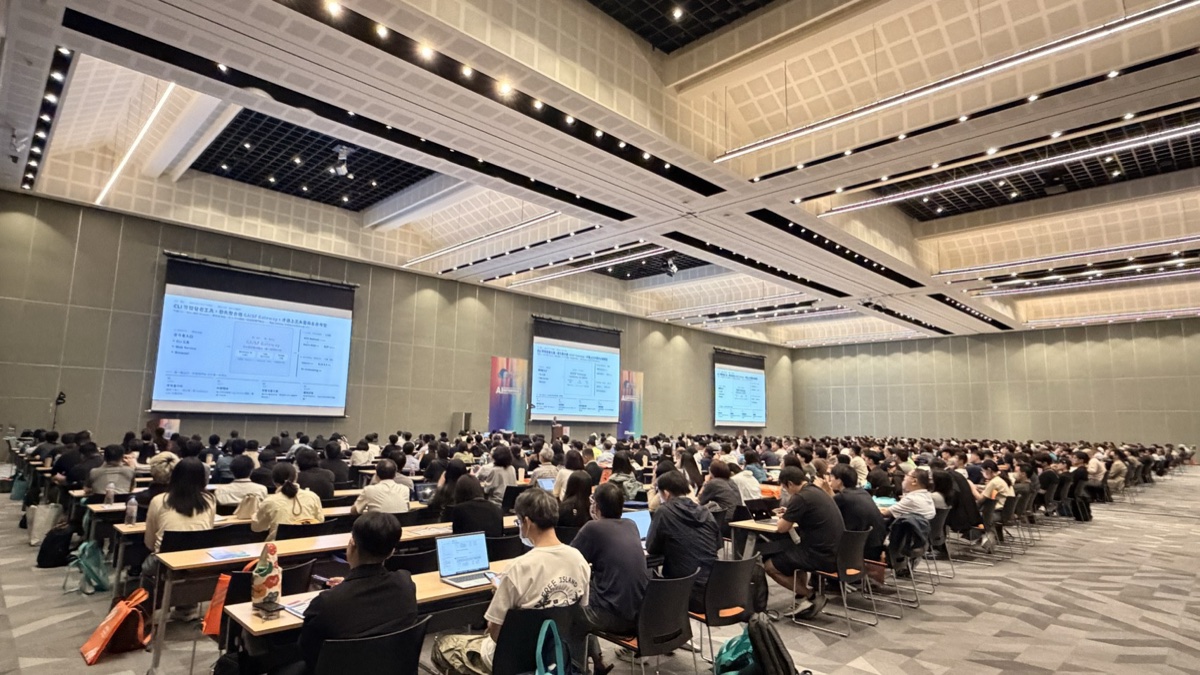
Date: 2026.07.01 Event: 2026 Cloud Summit Taiwan Speaker: appleboy
This time last year, the question we were asking was “how can AI help us improve our productivity?” This year, the question has flipped: “how can we help AI so that it accelerates our work?” Swapping the subject and the object sounds like wordplay, but it is exactly the most fundamental mindset shift we went through over these two years of rolling out AI Agentic Coding across the company.
This article documents a road we actually traveled: from a handful of people quietly trying out Claude Code, to everyone in the company using it daily; from AI producing 66% of our output, all the way up to 97%; from engineers’ three wait-and-see attitudes — “I don’t trust it, I’m afraid of being replaced, I’m worried about security” — to letting results speak for themselves and packaging individual tricks into standardized Agent Skills; from every team writing its own MCP Server and triggering a project explosion, to pulling the security governance of the whole ecosystem back together with a unified authentication gateway and a Marketplace review process.
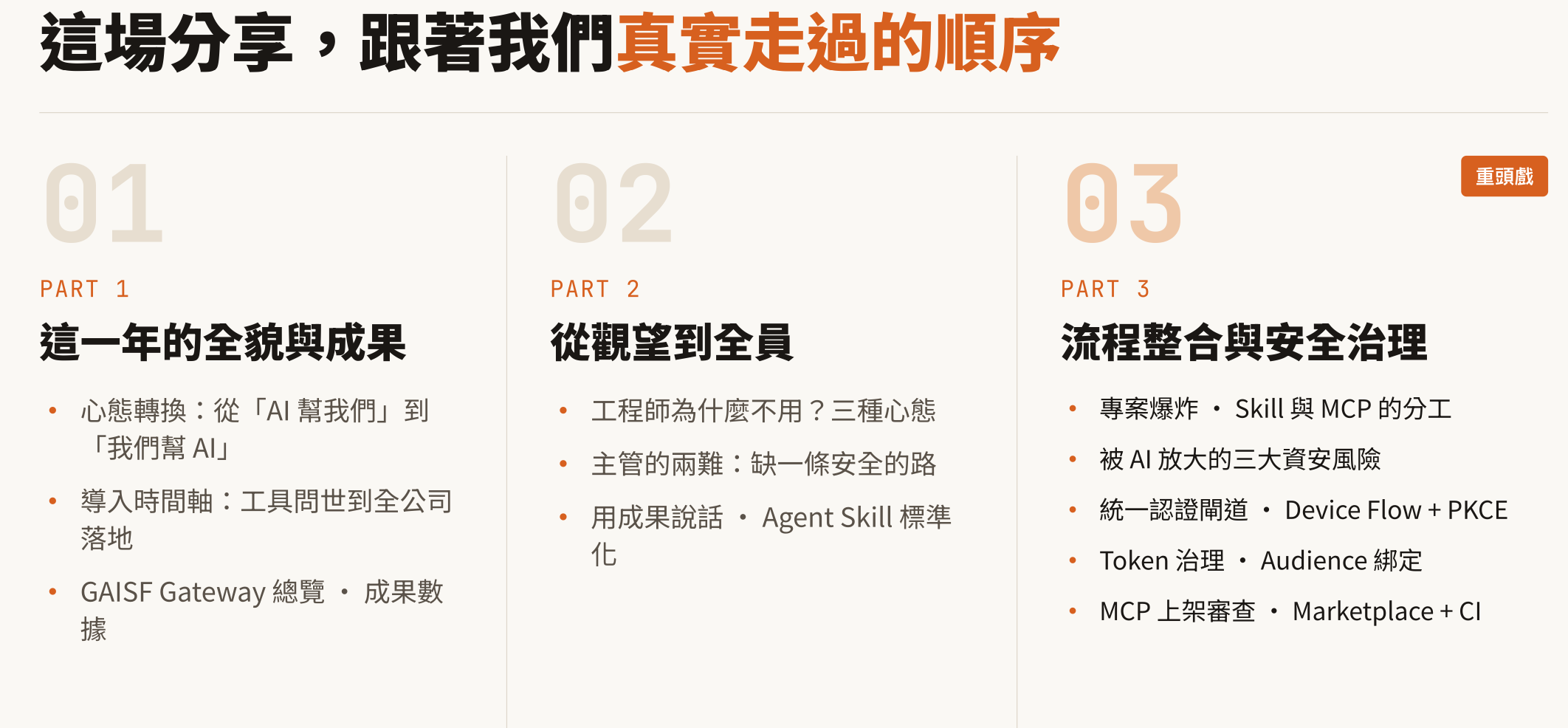
Three parts, in the order we actually lived through them: the full picture and the results of this year → from the sidelines to everyone on board → workflow integration and security governance.
Part 1: The Full Picture and the Results of This Year
The Mindset Shift: From “AI Helps Us” to “We Help AI”
This inversion is not rhetoric — it set the direction for every decision that followed.
- 2025: We were thinking about how AI could “help us” improve productivity — AI was the tool, we were the protagonists.
- 2026: We are thinking about how to “help AI” work faster — we lay the groundwork for AI so that it accelerates our work.
Put in more familiar management terms: a good manager doesn’t bury their head doing the work themselves — they pave the road so the team can run faster. It’s exactly the same with AI. The authentication gateway, token governance, and Marketplace review discussed later in this article are, at their core, all about building infrastructure for AI, not about teaching AI how to write code.
Adoption Timeline: From Tool Launch to Company-Wide Rollout
Laid out end to end, the journey took about a year:
    timeline
    title The year from tool launch to company-wide rollout
    2025-02 : Claude Code bursts onto the scene — the AI coding agent officially arrives, the starting point of the external ecosystem
    2025-03 : AI Gateway integration — IT wires Claude Code into the internal AI Gateway
    2025-05 : Observability hookup — IT connects observability and starts quantifying adoption ROI
    2025-09 : Rollout to SWRD — deployed across software R&D departments
    2025-10 : Anthropic launches Skills — reshaping the entire workflow ecosystem
    2026-04 : Rollout to HWRD — extended to hardware R&D departments
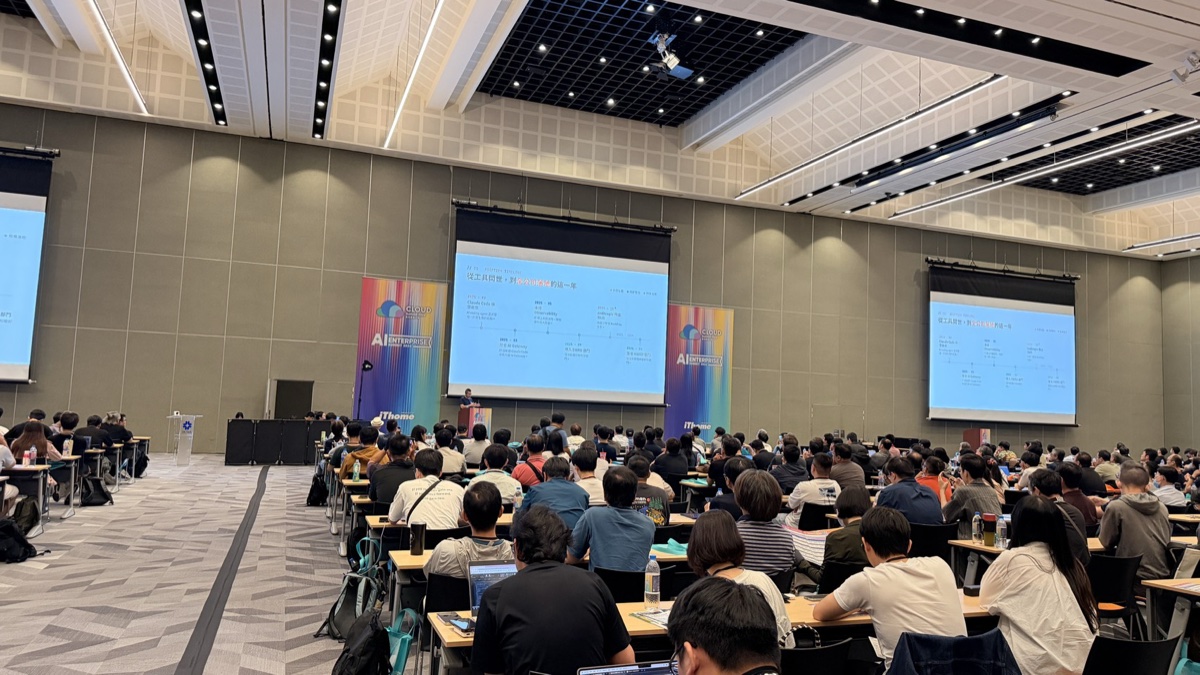
Three stages stand out clearly: external ecosystem starting point (the tool launches) → internal integration (Gateway, Observability) → rollout at scale (departments onboarding one after another). The tool launching is only the starting point; what really determines whether adoption “lands” is the invisible internal infrastructure work in the middle.
GAISF Gateway: A Single Entry and Exit Point for All AI Calls
Whether it’s a CLI tool, a web service, or a browser, every AI call from the developer side first passes through one unified gate, and the Gateway then routes it to public cloud or self-hosted models:
    graph LR
    subgraph client["C-DOMAIN · Developer side"]
        cli["CLI tools"]
        web["Web Service"]
        browser["Browser"]
    end

    subgraph gw["RD-DMZ · Single entry/exit point"]
        gateway["GAISF Gateway<br/>All requests funneled through one point — unified governance and routing"]
        obs["Grafana & Loki"]
        log["Log Service"]
        usage["Usage Log"]
    end

    subgraph cloud["CLOUD PROVIDER · Public cloud"]
        bedrock["AWS Bedrock (Claude)"]
        aoai["Azure AOAI (GPT)"]
        gcp["GCP (Gemini)"]
    end

    subgraph internal["INTERNAL DOMAIN · Self-hosted GPUs"]
        qwen["Qwen3 GPU"]
        glm["GLM-5.2 GPU"]
        e5["E5-Embedding GPU"]
    end

    client --> gateway
    gateway --> obs
    gateway --> log
    gateway --> usage
    gateway --> cloud
    gateway --> internal
The single entry/exit point decision solved four problems at once:
| Item | Description |
|---|---|
| Usage analytics | Who used how much and where — fully visible via Grafana & Loki |
| Internal auditing | Every call leaves a trace in the Log Service, traceable after the fact |
| Traffic cost control | Centralized metering and limits — cloud and GPU costs no longer spiral |
| Access control | Available models and scope determined by department and role |
Worth noting: the Gateway retains only the information required for auditing — Request / Response bodies are filtered out. This strikes a balance between “seeing who used what” and “not snooping on developers’ actual content.”
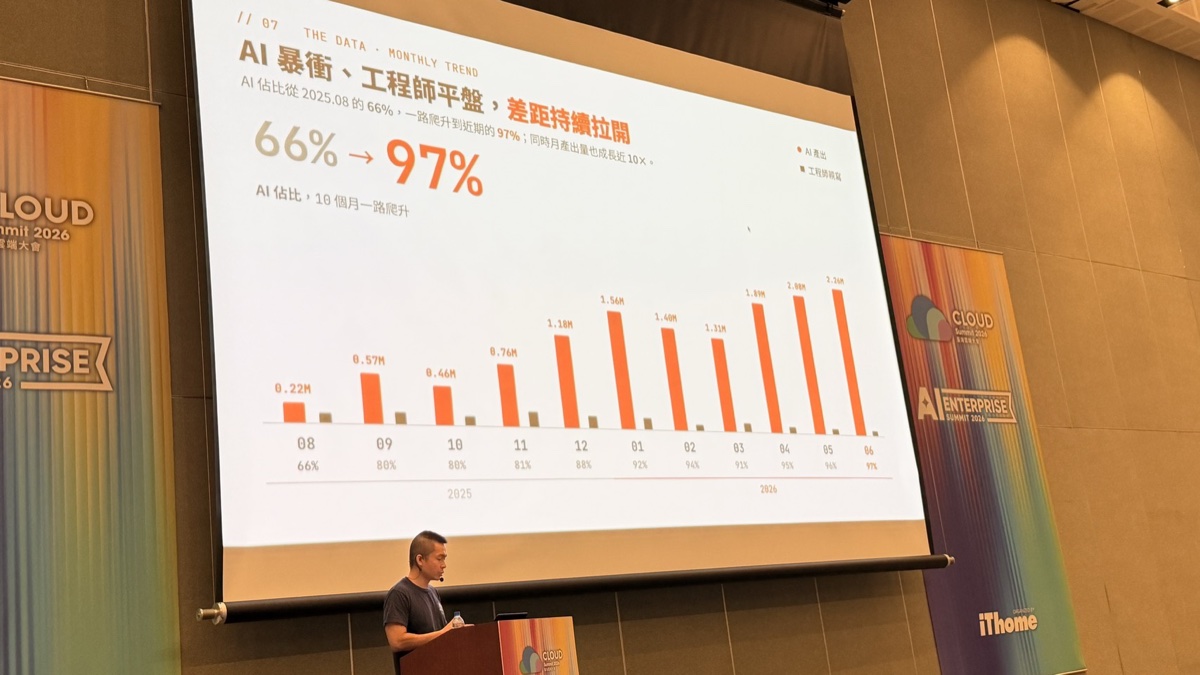
Let the Data Speak: AI Share Climbs from 66% to 97%
Compared with soft arguments about mindset shifts, numbers are more persuasive. This is the trend of AI’s share of our monthly output:
| Month | 2025-08 | 09 | 10 | 11 | 12 | 2026-01 | 02 | 03 | 04 | 05 | 06 |
|---|---|---|---|---|---|---|---|---|---|---|---|
| AI share | 66% | 80% | 80% | 81% | 88% | 92% | 94% | 91% | 95% | 96% | 97% |
| Monthly output | 0.22M | 0.57M | 0.46M | 0.76M | 1.18M | 1.56M | 1.40M | 1.31M | 1.89M | 2.08M | 2.26M |
Within ten months, AI’s share climbed from 66% to 97%, while monthly output grew nearly 10x. The amount engineers wrote by hand stayed almost flat — not because there were fewer engineers, but because they moved their time elsewhere: planning, reviewing, and gatekeeping, instead of typing code line by line.
Part 2: From the Sidelines to Everyone On Board
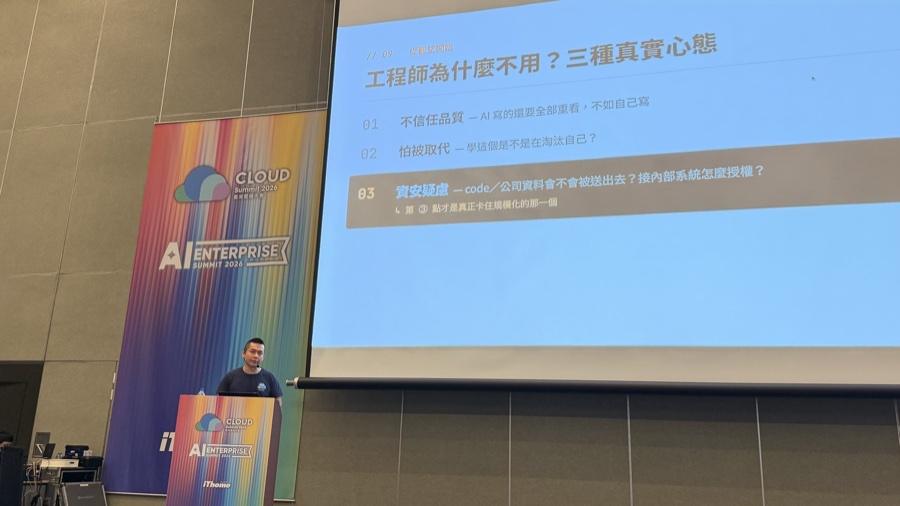
Why Won’t Engineers Use It? Three Real Attitudes
Company-wide adoption sounds smooth, but before we got there we ran head-on into three real forms of engineer resistance:
- Distrust of quality — “If I have to re-read everything AI writes anyway, I might as well write it myself.”
- Fear of being replaced — “Am I training my own replacement by learning this?”
- Security concerns — “Will our code or company data get sent out? How do we authorize access to internal systems?”
The first two are mindset issues that time and results can gradually wear down. The third one is what actually blocked scaling, because it isn’t a psychological barrier — it’s a technical problem with no answer yet. Until there’s an answer, any encouragement is empty talk.
The Manager’s Dilemma: Missing a “Safe Path”
Move this security concern one level up and it becomes the manager’s dilemma:
- Don’t push it: watch other teams pull ahead on efficiency with AI while your own team stands still.
- Force it: the moment someone commits a key into Git or ships sensitive data outside, the blame lands on the manager.
What was missing wasn’t resolve — it was a path that is technically “safe and controllable.” The reality a year ago was “a few people trying it in secret, nobody daring to connect internal systems, keys hardcoded in config files.” The reality today is “everyone using it daily, CLI / MCP securely connected to internal resources, zero key leaks.” How we paved the road in between is what Part 3 of this article covers. But before paving that road, there was something equally important: making “everyone uses it daily” actually happen, instead of becoming an announcement nobody reads.
Let Results Speak — Not Orders
We tried the top-down approach of “everyone is required to use it.” The result: accounts got created and sat idle, box-checking at best. The path that actually worked has three steps:
- Individual trial — find 2–3 curious, influential people and have them produce results their colleagues will envy.
- Team standardization — package individual tricks into shared assets the whole team can reuse.
- Company-wide rollout — distribute through a unified AI Skill Marketplace platform, backed by the company’s internal Git service.
For step two, “package individual tricks into shared assets,” the concrete mechanism is the Anthropic Agent Skill standard. We broke the entire development flow — from plan to merge — into a command map:
    graph LR
    plan["01 Plan<br/>/plan-feature<br/>Human · align direction<br/>→ plan.md"]
    dev["02 Develop<br/>implement per plan.md<br/>AI"]
    quality["03 Quality<br/>/simplify<br/>/security-review<br/>/code-review --fix<br/>AI"]
    commit["04 Commit<br/>/commit-message<br/>→ Conventional Commit<br/>AI"]
    pr["05 Open PR<br/>/pr-prepare<br/>→ PR description<br/>AI"]
    review["06 Review loop<br/>/loop /copilot-review<br/>check→fix→re-review<br/>AI auto-iterates"]
    merge["07 Merge<br/>CI green → Merge<br/>Human · final gate<br/>→ main"]

    plan --> dev --> quality --> commit --> pr --> review --> merge
Humans gatekeep the planning stage and the final merge; everything in between — from development through the review loop — runs on AI auto-iteration, with no one intervening line by line. This map is shared by the whole team and the entire CI pipeline, with explicit rules: which steps AI runs on its own, and which steps must have a human in the loop.
Only with a unified workflow in place can PMs and team leads do proper tracking — every ticket runs through the same CI: automated tests, automatic status transitions, automatic reporting. Humans gatekeep only at the head and tail; the middle belongs to AI and CI. Without unified CI, the kanban board is just a manually filled-in spreadsheet; with CI, every cell is real, automatically reported progress.
Part 3: Workflow Integration and Security Governance
The Real Barrier to Company-Wide Rollout: Project Explosion
The first side effect of scaling wasn’t security — it was volume. With every team using AI to churn out services, the project count exploded in a short time from roughly 50, to 200+, to over 1,000. With that many CLIs / MCPs / Agents needing to connect to internal systems, how to manage authentication and authorization became a question we could no longer dodge.
Clearing Up a Misconception: Does Agent Skill Make MCP Obsolete?
When the Skill standard landed late last year, many assumed MCP (Model Context Protocol) was about to be replaced. In fact the two have different jobs and complement each other:
| Agent Skill (leads) | MCP (specializes) | |
|---|---|---|
| Decides what | “How to do it” — overall usage knowledge + workflow | “What to connect” — third-party service integration |
| Concretely | Usage knowledge and conventions, workflow orchestration | Third-party integrations, authenticated secure connections |
Skill decides “how to do it”; MCP decides “what to connect” — one governs process, the other governs connections, and you need both. This is also why, after the project explosion, the security problems on the MCP side had to be confronted on their own.
The Friction Blocking MCP Adoption: Plaintext Tokens Sitting on the Client
Everyone wanted to one-click connect Skills to every company MCP service, yet MCP adoption stalled. The friction came down to one thing: the auth token sits in plaintext right on the developer’s client.
| |
Hardcode it in settings.json and it gets committed to Git; add it with the CLI --header flag and it’s still plaintext, with one extra copy lying around; you can even fish it out of shell history. This is the deadliest of the three security risks amplified by AI.
The Three Security Risks Amplified by AI
- Everyone reinventing authentication — every service wires up LDAP on its own; credential logic is scattered and inconsistent.
- Hardcoded keys flowing into Git (the deadliest) — CLIs / MCPs have no browser login flow, so credentials / API keys get hardcoded and pushed to Git along with the code.
- Tokens go out of control once issued — nobody knows who holds them, when they expire, or whether they can be revoked; no traceability, no way to stop the bleeding.
None of these three risks is a new problem created by AI. They are pre-existing credential management problems, amplified by the AI-era pace of “CLIs / MCPs appearing in droves, every team wiring into internal systems on its own.” The fix has to come at the architecture level, not by patching one service at a time.
Solution 1: A Unified Authentication Gateway — Every Tool Walks Through the Same Door
CLI, MCP Server, AI Agent, or internal service — everything goes through one door:
    graph LR
    subgraph clients["CLIENTS"]
        cli["CLI"]
        mcpserver["MCP Server"]
        agent["AI Agent"]
        internal["Internal services"]
    end

    signet["IdP (Identity Provider)<br/>Unified authentication gateway<br/>OAuth 2.0 / OIDC Authorization Server"]

    subgraph idp["Identity sources"]
        ldap["LDAP · AD"]
        github["GitHub · Gitea"]
        entra["Microsoft Entra"]
    end

    clients -->|register| signet
    signet --> idp
Different scenarios map to different OAuth flows:
- Web → Auth Code + PKCE
- CLI · Agent → Device Flow
- Service-to-service → Client Credentials / private_key_jwt
The Device Flow + PKCE used in the CLI / Agent scenario is precisely the key mechanism that solves the deadly “plaintext token sitting on the client” problem:
    sequenceDiagram
    participant C as CLI / MCP
    participant U as User · Browser
    participant A as IdP gateway

    C->>A: ① Request device code + user code
    A-->>C: Returns URL + user code
    C->>U: ② Display URL + user code, ask user to open browser
    U->>A: ③ Browser login and authorization (credentials only appear here, via company SSO)
    C-->>A: ④ Meanwhile polls in the background, waiting for authorization
    A-->>C: ⑤ Issues access token + refresh token
    Note over C: ⑥ Token stored encrypted in the OS keyring — never lands in a config file
There isn’t a single hardcoded key anywhere in this flow: credentials appear only at the user’s browser login step, going through the company’s existing SSO. The CLI / MCP side only ever receives a short-lived access token, stored encrypted directly in the OS keyring, never written to a plaintext config file. Credentials flowing into Git is eliminated at the source.
For the fuller implementation details of this mechanism — how the MCP Gateway verifies JWTs with the mcp-oauth2 plugin, the complete handshake sequence from 401 to 200, and why RS256 + JWKS instead of HS256 — see my earlier article “Stop Letting Every MCP Server Collect Its Own PAT: A Unified OAuth2 Front Door with Kong + Signet”. I won’t repeat the code here; instead, let’s cover the one piece the slides added this time: token governance.
Solution 2: Token Governance — Treat Every MCP as an Independent OAuth Resource
A unified gateway alone isn’t enough. If one token works across all MCP services, then the moment it leaks, the blast radius is the company’s entire MCP ecosystem. We use RFC 8707 Resource Indicators to treat every MCP as an independent OAuth Resource: a token is bound to exactly one MCP, and any aud mismatch is rejected outright.
Token aud | Gitea MCP (aud=mcp://gitea) | Jira MCP (aud=mcp://jira) |
|---|---|---|
mcp://gitea | ✅ Accepted | ✗ Rejected (aud mismatch) |
- Least privilege, contained blast radius: a token carries only that MCP’s scopes; a leak affects a single MCP.
- Local signature verification: RS256 + JWKS, so the Resource Server never has to call back to the gateway per request.
- Every token fully controllable end to end: queryable, expirable, instantly revocable — even a one-click forced re-login for everyone.
This design is exactly the standard defense against confused deputy attacks — even if a token gets misused by one MCP client to call a different MCP, the aud check blocks it cold.
Solution 3: MCP Gateway Gatekeeps, IdP Issues Tokens, Clients Never Connect to MCP Directly
Wiring the unified authentication gateway and token governance together, the complete architecture looks like this: developer tools on the client side (Claude Code, OpenAI Codex, Gemini CLI) hit the MCP Gateway with a Bearer JWT; the mcp-oauth2 plugin on the Gateway verifies the signature (JWKS), iss, aud, exp, and scope, and only then forwards the request — carrying X-MCP-Subject / X-MCP-Scope — into the internal MCP cluster (Gitea MCP, Jira MCP, Confluence MCP). The internal MCP Servers trust only the identity headers forwarded by the Gateway and never touch the token themselves.
A complete handshake breaks down into five steps:
| Step | Description |
|---|---|
| ① Challenge | Tokenless request rejected: 401 + WWW-Authenticate pointing to resource_metadata |
| ② Discovery | Client reads /.well-known/oauth-protected-resource to locate the IdP |
| ③ Authorize | Auth Code + PKCE completes; the IdP signs an RS256 token |
| ④ Verify | MCP Gateway verifies the signature via JWKS, then iss / aud / exp / scope |
| ⑤ Forward | Only on success does it forward, attaching X-MCP-Subject and X-MCP-Scope |
The difference between this flow and the earlier Device Flow: Device Flow solves “how the CLI / MCP side safely obtains a token”; the MCP Gateway handshake here solves “once you have the token, how every single request gets verified cleanly.” Stacked together, they form the complete security governance chain.
Solution 4: In the AI Marketplace, How Do MCPs / Skills Get Listed and Certified?
After the project explosion, every team was writing its own MCP Servers and Skills — who gets to publish, who gatekeeps, and who gets to use them needs an internal enterprise management process, not verbal agreements.
We put security review into the most critical gate in the CI pipeline: a single PR triggers three parallel scans, and all three must be green before it passes.
    graph LR
    pr["Every PR"]
    coverity["01 Coverity Scan (SAST)<br/>Static source code analysis<br/>Memory errors, resource leaks, null dereferences<br/>Injection flaws and unsafe API usage"]
    trivy["02 Trivy Scan (SCA)<br/>Dependency / image vulnerabilities<br/>Known CVEs and OS package vulnerabilities<br/>IaC misconfigurations and leaked secrets"]
    codereview["03 Code Review (AI Review)<br/>AI contextual semantic review<br/>Business-logic vulnerabilities and unsafe patterns<br/>Contextual issues the first two can't catch"]
    pass["All three green to pass"]

    pr --> coverity --> pass
    pr --> trivy --> pass
    pr --> codereview --> pass
Tools scan for breadth, AI fills in semantics — three complementary layers, so no vulnerability can slip through on a single method’s blind spot. Static analysis tools excel at catching known patterns (memory errors, known CVEs) but can’t catch “this piece of business logic is itself a security hole” — the kind of problem that requires understanding context. That gap is covered by AI semantic review. All three scans trigger in parallel, and only when all are green can an MCP / Skill actually be published to the Marketplace for company-wide use.
Wrapping Up
Looking back on this year-plus journey, it condenses into one sentence: let results speak, and get the critical pieces right the first time.
- Mindset: flip “AI helps us” into “we help AI,” and carry over managerial wisdom — pave roads, don’t issue orders.
- Adoption: skip top-down mandates; use the three-step path of individual trial → team standardization → company-wide rollout, with Agent Skills turning individual tricks into shared assets.
- Governance: what actually blocked scaling was never mindset — it was security. The unified authentication gateway solves “stop leaving tokens in plaintext on the client”; token governance solves “every MCP is an independent Resource, so a leak doesn’t spread”; three parallel CI scans solve “security gatekeeping before anything is published to the Marketplace.”
The fact that AI’s share of output hit 97% isn’t the important part. What matters is that this 97% was earned on a road that is “safe and controllable” — not by engineers blindly trusting AI, or managers blindly ignoring security risk. If your company is stuck at the “engineers won’t touch it” or “MCP adoption won’t budge” stage, I hope the order this article unpacked — mindset first, then process, then security architecture — saves you a few detours.