Building AI-Powered GitHub Workflows: A Complete Guide to LLM Action

blog cover

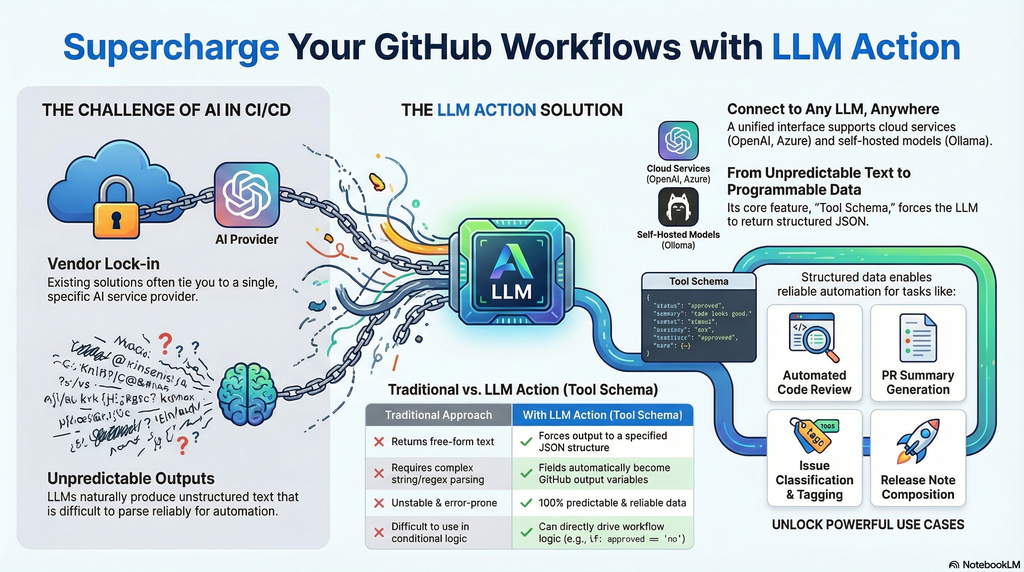
In the AI era, integrating Large Language Models into CI/CD pipelines has become crucial for improving development efficiency. However, existing solutions are often tied to specific service providers, and LLM outputs are typically unstructured free-form text that is difficult to parse and use reliably in automated workflows. LLM Action was created to solve these pain points.

The core feature is support for Tool Schema structured output—you can predefine a JSON Schema to force LLM responses to conform to a specified format. This means AI no longer just returns a block of text, but produces predictable, parseable structured data. Each field is automatically converted into GitHub Actions output variables, allowing subsequent steps to use them directly without additional string parsing or regex processing. This completely solves the problem of unstable LLM output that is difficult to integrate into automated workflows.

Additionally, LLM Action provides a unified interface to connect to any OpenAI-compatible service, whether it’s cloud-based OpenAI, Azure OpenAI, or locally deployed self-hosted solutions like Ollama, LocalAI, LM Studio, or vLLM—all can be seamlessly switched.

Practical use cases include:

  • Automated Code Review: Define a Schema to output fields like score, issues, suggestions, directly used to determine whether the review passes
  • PR Summary Generation: Structured output of title, summary, breaking_changes for automatic PR description updates
  • Issue Classification: Output category, priority, labels to automatically tag Issues
  • Release Notes: Generate arrays of features, bugfixes, breaking to automatically compose formatted release notes
  • Multi-language Translation: Batch output multiple language fields, completing multi-language translation in a single API call

Through Schema definition, LLM Action transforms AI output from “unpredictable text” to “programmable data,” truly enabling end-to-end AI automated workflows.

[Read More]

打造 AI 驅動的 GitHub 工作流程:LLM Action 完整指南

blog cover

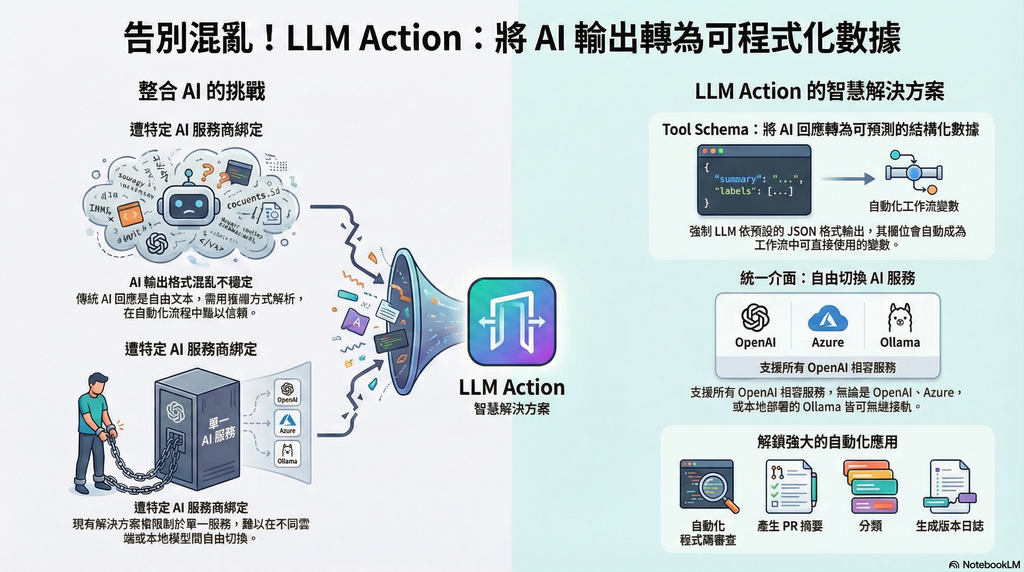
在 AI 時代,將大型語言模型整合進 CI/CD 流程已成為提升開發效率的關鍵。然而,現有的解決方案往往綁定特定服務商,且 LLM 的輸出通常是非結構化的自由文字,難以在自動化流程中可靠地解析與使用。LLM Action 的誕生正是為了解決這些痛點。

最核心的特色是支援 Tool Schema 結構化輸出——你可以預先定義 JSON Schema,讓 LLM 的回應強制符合指定格式。這意味著 AI 不再只是回傳一段文字,而是產出可預測、可解析的結構化資料,每個欄位都會自動轉換為 GitHub Actions 的輸出變數,讓後續步驟能直接取用,無需額外的字串解析或正則表達式處理。這徹底解決了 LLM 輸出不穩定、難以整合進自動化流程的問題。

此外,LLM Action 提供統一介面串接任何 OpenAI 相容的服務,無論是雲端的 OpenAI、Azure OpenAI,還是本地部署的 Ollama、LocalAI、LM Studio、vLLM 等自託管方案,都能無縫切換。

實際應用場景包括:

  • 自動化 Code Review:定義 Schema 輸出 scoreissuessuggestions 等欄位,直接用於判斷是否通過審查
  • PR 摘要生成:結構化輸出 titlesummarybreaking_changes 供後續自動更新 PR 描述
  • Issue 分類:輸出 categoryprioritylabels 自動為 Issue 加上標籤
  • Release Notes:產出 featuresbugfixesbreaking 陣列,自動組成格式化的發布說明
  • 多語言翻譯:批次輸出多個語言欄位,一次 API 呼叫完成多語系翻譯

透過 Schema 定義,LLM Action 讓 AI 輸出從「不可預測的文字」變成「可程式化的資料」,真正實現端到端的 AI 自動化工作流程。

[Read More]