Letting Claude Code Talk to Jira Safely: OAuth Login and Refresh Tokens in the New go-jira

cover

More and more developers let AI CLI tools like Claude Code run commands, look things up, and tidy up afterwards right on their own development machines. Wiring that AI workflow into Jira makes it even more powerful: the AI can look up issues, update statuses, leave comments, and map commit messages back to tickets. The star of this post, go-jira (https://github.com/appleboy/go-jira), is a Jira CLI built for exactly this scenario. But there’s a security question that keeps getting underrated — how does the CLI authenticate to Jira?

The most common answer historically is a PAT (Personal Access Token). It’s simple, but on an AI development machine it carries two very real risks:

  1. The AI can read it by accident. A PAT usually lives in .env, a shell rc file, or some config file. The moment you let an AI agent “freely explore the filesystem” on that machine, this long-lived token — which carries your full account permissions — can get pulled into the context, or even written out into some piece of output.
  2. A file that lives forever is an exposure surface that lives forever. A PAT doesn’t rotate. Once leaked, it stays valid until you manually revoke it. We’ve all heard the stories: synced to the cloud, swept into a backup, accidentally committed into a repo.

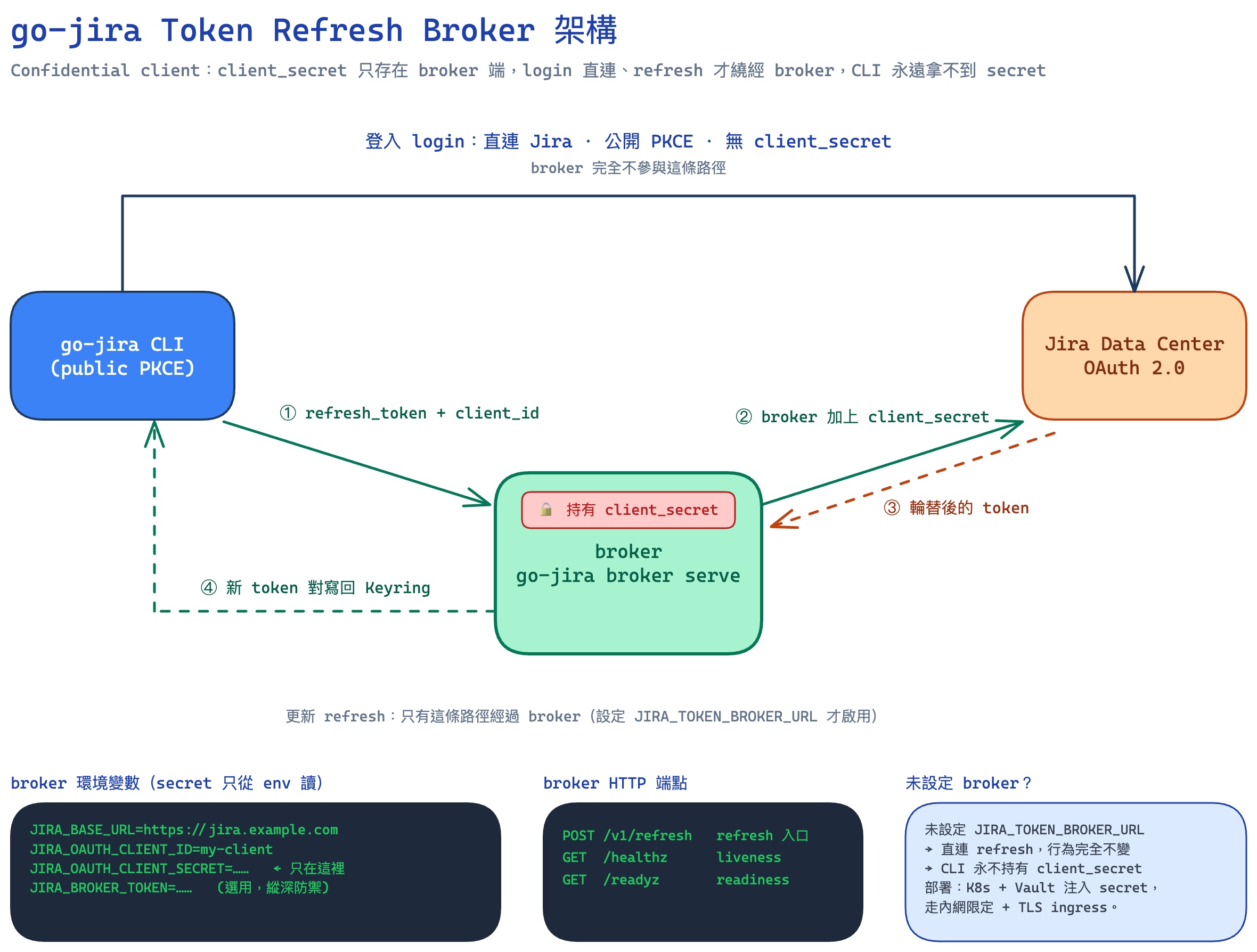
That’s why “switching CLI auth from a PAT to Jira OAuth” has been pulled back into the spotlight lately. This post documents how the new go-jira uses OAuth Login + refresh tokens to tuck tokens into the operating system’s Keyring, so developers can obtain a token conveniently and store it safely — and so AI CLIs like Claude Code can interact with Jira in a much safer way.

Note: go-jira’s OAuth only supports Jira Data Center, not Jira Cloud (the two use different OAuth flows).

[Read More]

讓 Claude Code 安全地操作 Jira:go-jira 新版 OAuth 登入與 Refresh Token 實戰

cover

越來越多開發者習慣在自己的開發機上,讓 Claude Code 這類 AI CLI 工具幫忙跑指令、查資料、收尾善後。把這條 AI 工作流接到 Jira 之後,威力更大:AI 可以幫你查 issue、更新狀態、補留言、把 commit 訊息對應到工單。本文的主角 go-jirahttps://github.com/appleboy/go-jira)正是為了這個場景打造的 Jira CLI。但這裡有一個一直被低估的安全議題——CLI 要怎麼跟 Jira 認證?

過去最常見的做法是 PAT(Personal Access Token)。它確實簡單,但放在 AI 開發機上有兩個很實際的風險:

  1. AI 可能不小心讀到它:PAT 通常被塞在 .env、shell rc、或某個設定檔裡。當你讓 AI agent 在這台機器上「自由探索檔案」時,這顆等同你帳號權限的長期 token 很可能就被讀進 context、甚至被寫進某段輸出裡。
  2. 以檔案形式長期存在 = 長期暴露面:PAT 不會自動輪替,一旦外洩,在你手動撤銷之前它都是有效的。檔案被同步到雲端、被備份、被誤 commit 進 repo 的故事,大家都聽過。

所以「把 CLI 認證從 PAT 換成 Jira OAuth」這件事,最近被重新拉出來重視。這篇文章記錄 go-jira 新版本如何用 OAuth Login + Refresh Token 把 token 收進作業系統的 Keyring,讓開發者很方便地拿到、並且安全地保存 token,進而讓 Claude Code 等 AI CLI 能以更安全的方式跟 Jira 互動。

注意:go-jira 的 OAuth 只支援 Jira Data Center,不支援 Jira Cloud(兩者是不同的 OAuth 流程)。

[Read More]

A Kubernetes Login Story for Small Teams: Building an OIDC Identity Gateway with kubelogin + Signet on k3s

cover

Most teams meet Kubernetes for the first time through a single “superuser” kubeconfig — a file with credentials that can wipe out the entire cluster. It then starts bouncing around Slack, email, and laptops, and nobody can say for sure who still has a copy, or whether the kubeconfig belonging to a former employee is still usable.

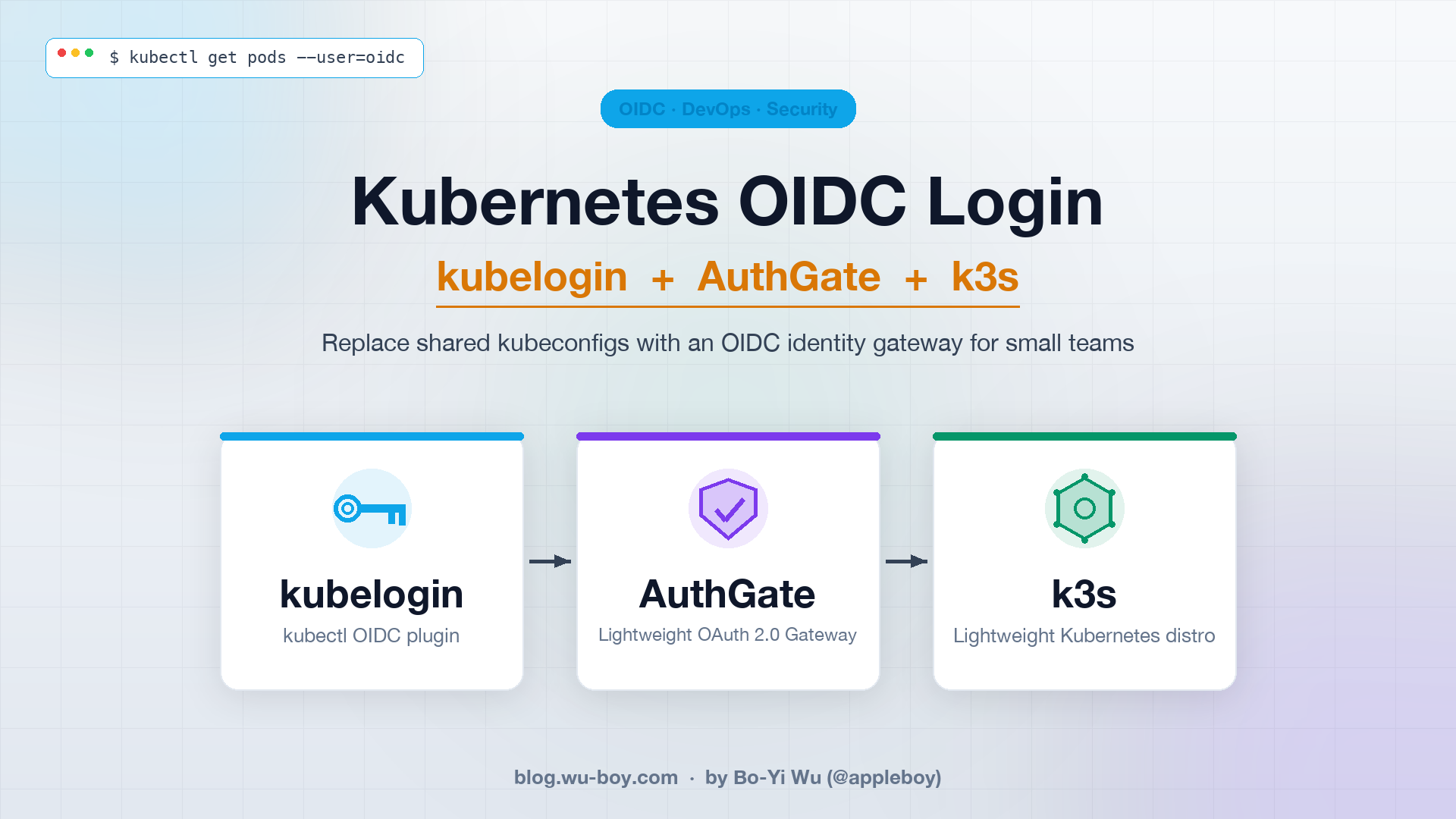
This post shows how to use kubelogin together with Signet to stand up an OIDC login flow on k3s: the moment a user runs kubectl get pods, the browser pops open Signet’s login page, the tokens land back in the kubeconfig, and the entire cluster no longer needs that shared admin.kubeconfig.

[Read More]

小團隊的 Kubernetes 登入方案:用 kubelogin + Signet 打造 OIDC 身份閘道(以 k3s 為例)

cover

大部分團隊第一次裝 Kubernetes 時,拿到的都是一個「超級使用者」的 kubeconfig,裡面就躺著一組可以幹掉整個叢集的憑證。於是這份檔案開始在 Slack、Email、筆電之間被複製來複製去,沒有人知道目前誰還留著副本、哪個離職員工的 kubeconfig 還能用。

這篇文章要示範如何用 kubelogin 搭配 Signet,在 k3s 上建立一條 OIDC 登入流程:使用者打 kubectl get pods 的瞬間,瀏覽器自動跳出 Signet 的登入頁面,登入完成 token 寫回 kubeconfig,整個叢集不再需要共用那份 admin.kubeconfig

[Read More]